
Instagram Instants Video: A Business Engagement Playbook
Use Instagram Instants video thoughtfully for closer customer relationships, creator community and DM-led engagement without confusing tests for launches.
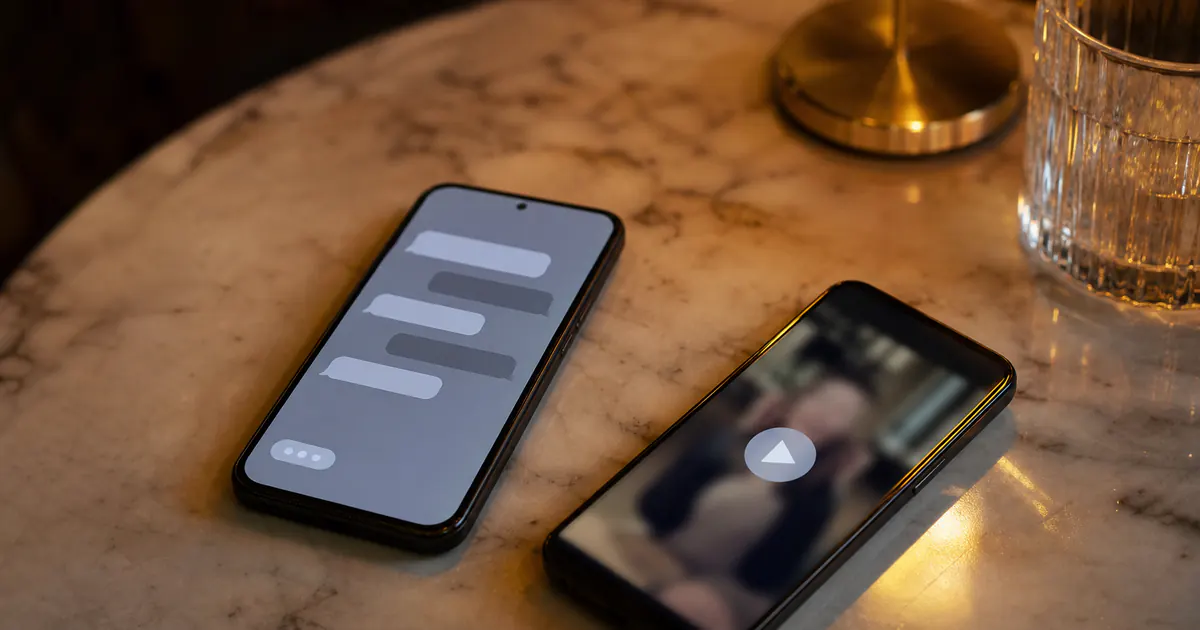
Instagram is adding video recording to the Instants camera in DMs, extending a format that has been primarily photo-focused. That small product change has a larger strategic implication: a business or creator can now use a short, ephemeral visual reply where a typed message would feel distant and a polished Reel would be excessive.
Instants are not a replacement for a business’s content calendar, customer-support process, or public Stories. They are a relationship format. Metricool describes Instants as ephemeral exchanges for mutual followers or Close Friends that disappear after they are opened, with design intended to discourage screenshots. The exact interface and rollout can vary, so teams should confirm what their own account and recipients can access before building a campaign around it.
This playbook separates confirmed information from testing, explains where video fits, and gives local businesses and creators a practical way to use Instants without treating private conversation as an advertising channel.
Table of contents
- What Instagram Instants are
- What July 2026 video recording changes
- Confirmed behavior versus reported testing
- Where Instants fit in a business messaging system
- Use cases for local businesses
- Use cases for creators
- A safe operating workflow
- FAQ
What Instagram Instants are
Instants are an ephemeral DM camera format, not a permanent Feed post and not a public Story. According to Metricool’s Instagram updates coverage, they are aimed at mutual followers and Close Friends, disappear after opening, and are designed as a more private, anti-screenshot interaction.
Those boundaries are the point. A person who has an established connection with a business, creator, or community may appreciate a quick visual response that feels personal. A cold prospect who receives an unprompted disappearing video may experience the same message as intrusive.
Instants compared with adjacent Instagram formats
| Format | Audience | Persistence | Best business role |
|---|---|---|---|
| Feed post | Followers and potential recommendations | Durable | Searchable education, proof, announcements |
| Reel | Followers and non-followers | Durable | Discovery and entertaining or useful demonstrations |
| Story | Followers | Usually 24 hours | Timely updates and relationship prompts |
| Regular DM | A specific conversation | Persistent in thread | Support, sales, logistics, follow-up |
| Instant | Mutual/Close Friends context, subject to availability | Ephemeral after opening | A brief, personal visual moment |
The comparison matters because each format creates a different expectation. If a customer needs appointment details, a price, a return policy, or a record of an instruction, use a normal DM. If the goal is to show the exact product color in daylight, celebrate a community member, or answer a small question with human warmth, an Instant may be appropriate.
What “ephemeral” changes
Ephemeral does not mean consequence-free. A recipient can still remember, describe, or potentially capture what they receive. Do not send private customer information, payment details, medical advice, sensitive account data, or content you would not stand behind in a normal business message.
It does mean that Instants are a poor home for essential information. A limited-time code, opening-hour exception, booking link, or product specification should also exist in a durable channel. Treat the Instant as the human introduction, then provide the actionable detail in a regular message.
What July 2026 video recording changes
In July 2026, app researchers including Jonah Manzano reported that Instagram added video recording to the Instants camera in DMs. Earlier Instants use was primarily photo-oriented. This is a reported feature rollout, not a reason to assume every account, market, or conversation has identical access.
Video changes the communication palette in three useful ways:
- Demonstration: Show a detail that a still image cannot explain: fabric movement, a menu portion, a studio setup, a repair before-and-after, or the way a product is used.
- Tone: A short face-to-camera reply carries warmth, confidence, and nuance that can be lost in terse text.
- Momentum: A quick reaction can make a community conversation feel live without requiring a polished production cycle.
It does not make video inherently more engaging. A shaky, unclear, unprompted clip has the same problem as an irrelevant DM: it asks for attention without giving a reason.
A good Instant video is brief and expected
Use a one-sentence structure:
“You asked what today’s arrangement looks like—here’s the exact color mix; I’ll send the pickup times in the message below.”
That gives the recipient context, shows the relevant proof, and routes necessary details into a durable thread. Keep the clip focused on one answer. Do not turn it into an ad read or a long consultation.
What video is not for
Avoid using Instants video to:
- Send mass promotional blasts to people who did not ask for them.
- Replace written confirmations, policies, receipts, or safety instructions.
- Pressure someone who has not responded to a sales DM.
- Share customer images or messages without explicit permission.
- Circumvent consent or messaging policies through a more “personal” format.
The best test is simple: would this still feel helpful if the recipient never buys anything? If not, use an opt-in marketing channel or a normal, relevant business conversation instead.
Confirmed behavior versus reported testing
Messaging product rumors spread quickly. A responsible playbook separates what is known from what is only observed in testing.
| Item | Status in July 2026 | Practical guidance |
|---|---|---|
| Instants are ephemeral DM interactions for mutual followers / Close Friends | Reported by Metricool | Use them as a relationship format, and verify current account behavior in-app. |
| Video recording added to the Instants camera | Reported July 2026 via app researchers | Test availability with your team; do not promise access to customers. |
| Business-hours or contact-information profile banners | Testing reported; not confirmed as a general launch | Do not build a workflow or customer promise around these banners. Keep business hours and contact details updated in standard profile fields. |
| Instagram Graph API / Messaging API for eligible professional accounts | Established official integration path | Use approved tools and a connected Facebook Page where required; follow current Meta documentation. |
The important restraint is the third row. Reports have described business-hours and contact-information profile banners in testing. That is not the same as Meta announcing a generally available feature. Treat it as an observation only. Your team should continue publishing accurate hours, location, contact methods, and response expectations through the profile and regular customer communications.
Where Instants fit in a business messaging system
An Instant should complement, not fragment, the customer journey. The durable system is still: a customer starts or agrees to a conversation, a team member understands the request, the relevant answer is delivered in a record the customer can revisit, and the outcome is handed off or logged.
The conversation ladder
| Step | Best channel | Example |
|---|---|---|
| Discover a business | Reel, Explore, Feed | A bakery shares a short decorating technique. |
| Signal interest | Comment, Story reply, or DM | “Do you make this for gluten-free events?” |
| Clarify or create warmth | Optional Instant video | “Yes—here’s today’s gluten-free finish so you can see the texture.” |
| Deliver details | Regular DM | Ingredients, price range, order deadline, booking link |
| Complete service | Human follow-up and business system | Confirm order, schedule pickup, record preferences |
This sequence protects both customer experience and operational quality. The Instant is a moment of presence, not the database of record.
Relationship to DMs and the shared inbox
When content generates demand, private replies can arrive across multiple threads and team members. A shared inbox helps a business avoid duplicated replies, lost handoffs, and a situation where a thoughtful video answer never receives the written details that make it useful.
For team setup and routing, read Shared inbox for Instagram teams. For the customer-facing guardrails, see DM automation etiquette and our broader Instagram DM automation guide.
Approved automation can help acknowledge or route an inbound request where policy and account eligibility allow. It cannot replace judgment in a personal format. Never use unofficial browser bots, password-sharing tools, or automation that violates Meta policies to simulate personal attention at scale.
Consent is the operating principle
Use Instants after one of these conditions:
- The person asked a visual question.
- The person has an ongoing, expected conversation with you.
- A Close Friends community has explicitly opted into more informal behind-the-scenes interaction.
- The recipient has invited the type of follow-up you are sending.
If none applies, send a normal message only when it is relevant—or do not send one. “Personal” is valuable because it is selective; scaling it indiscriminately removes the value.
Use cases for local businesses
Local businesses have a built-in advantage: customers often care about immediacy, visual proof, and familiar people. Use Instants video to shorten uncertainty, not to create artificial urgency.
Restaurant, café, or bakery: answer a real-time availability question
A regular asks whether a limited pastry is still available. Send a five-second Instant showing the counter, then follow immediately with a regular DM: “We have six left until 4 p.m.; call or use this order link to reserve.” The video provides confidence; the text preserves the action.
Do not send disappearing menu promos to everyone who has ever messaged. Public Stories, broadcast channels where appropriate, and opt-in updates are better for broad availability announcements.
Salon or service studio: show a relevant detail before booking
A prospective client asks whether a treatment suits a particular hair texture or whether a nail finish looks natural in daylight. A concise visual reply can answer better than a paragraph. Then send a durable summary of availability, price range, consultation boundaries, and booking instructions.
Never send identifiable client footage, before-and-after images, or treatment details without written permission. A private DM is not automatic consent.
Retail shop: provide a quick product comparison
A shopper deciding between two bags, plants, or home items may benefit from seeing scale and color. Frame both options, name the difference, and send the product links or stock information afterward in the thread.
This is especially useful when a physical shop has a limited amount of stock. But be precise: an Instant is not an inventory reservation. Confirm reserve, pickup, and payment rules in writing.
Trades and home services: create trust after an inbound inquiry
An owner who asks about a repair can receive a short introduction from the technician or a visual explanation of the next step. Keep claims accurate and avoid diagnosing a safety-critical problem through an ephemeral clip. For electrical, gas, structural, legal, or medical matters, provide formal guidance through appropriate channels and qualified professionals.
Fitness, wellness, and education: show form or setup, not individualized treatment
Quick equipment setup or a general exercise demo can be helpful in response to a common question. Do not make personalized medical claims, prescribe treatment, or rely on a disappearing video for risk information. Put boundaries and instructions in durable resources.
Use cases for creators
For creators, Instants can make a small community feel seen. They work best when the creator is clear about who receives them and why.
Close Friends previews with a purpose
If your Close Friends group has opted into early looks, use an Instant to show a prop, location, color grade, or draft concept and ask one narrow question. Follow up with a Story, poll, or normal DM if a response needs to be collected or referenced later.
“Which cover feels more like the series?” is a better prompt than “Thoughts?” because it reduces effort and creates a usable decision.
Thank-you moments after a meaningful interaction
A short, specific thank-you to a collaborator, community member, or contest participant can strengthen trust when it is genuinely individual. Avoid automating or templating the same “personal” video for hundreds of people. That risks deceptive messaging and will be obvious to recipients.
Behind-the-scenes proof for a warm lead
A creator selling a workshop, commission, or brand partnership can show a small part of their process after a person asks for it. Then send the deck, dates, deliverables, and rate information in a normal message. The video makes the work tangible; the regular DM keeps the transaction clear.
Community moderation
An Instant is not a substitute for moderation standards. Keep rules, boundaries, and escalation paths in durable written material. If a conversation becomes harassing, unsafe, or commercially sensitive, stop using informal formats and follow your established response procedure.
A safe operating workflow
Small teams can use Instants without letting them become an unmanaged side channel.
1. Define the approved use cases
Write a short internal list such as:
- Answer an inbound visual product or service question.
- Send an opt-in Close Friends preview.
- Thank an individual collaborator after a specific interaction.
- Show a real-time, non-sensitive detail, followed by a written confirmation.
Also write a “never” list: no account credentials, personal data, medical or legal conclusions, mass promotion, harassment response, customer images without consent, or one-way pressure after silence.
2. Give team members a short script
Use a repeatable pattern:
- Name the question.
- Show the answer.
- State the next written step.
For example: “You asked whether the blue version is closer to navy or cobalt—here it is by the window. I’ll send the available sizes below.” This sounds human because it addresses the actual request, not because it is improvised.
3. Follow with a durable DM
Immediately send the information the customer needs later: links, price, availability, hours, address, booking process, terms, or a handoff to a teammate. If an Instant is opened but the customer does not respond, do not use another ephemeral video to chase them.
4. Route and record the outcome
In a shared inbox or CRM-linked process, tag the conversation according to its real state: support, quote requested, booking, partnership, or resolved. A team member should be able to see what was promised without relying on an ephemeral media item.
5. Review quality, not only replies
Once a month, review a small sample with consent and privacy in mind:
- Did the Instant answer a question more clearly than text?
- Was the written follow-up sent promptly?
- Did the recipient appear to welcome it?
- Did it reduce back-and-forth or create confusion?
- Was any sensitive information handled incorrectly?
If the answer is unclear, reduce use until the team has a safer pattern.
Common mistakes
Treating Instants as an email list
Sending a disappearing video to a broad audience is neither scalable customer service nor reliable marketing. It may damage trust and does not create a persistent, accessible source of information.
Leaving the essential detail only in video
Ephemeral media cannot serve as the only confirmation of a price, booking, availability promise, or policy. Send an ordinary message with the necessary record immediately after the visual reply.
Assuming a test is a launch
Business-hours and contact-information banners have been reported in testing. They are not confirmed as a generally available Meta launch. Keep official profile information current and do not tell customers to look for a banner that may not exist for them.
Faking intimacy with automation
Automation has a place in routing and timely acknowledgements. It should not impersonate a team member or mass-produce “personal” Instants. The relationship value of this format depends on relevant, expected contact.
Ignoring access and privacy
Not every account will have the same feature access. Not every recipient will want a video response. Always provide an understandable written path and obtain permission before sharing anyone else’s likeness or information.
A two-week pilot plan
Days 1–3: Confirm access and guardrails. Check whether your account can record Instants video and test only with internal team members. List approved situations, prohibited content, privacy rules, and the mandatory written follow-up.
Days 4–7: Select one use case. Choose a narrow, inbound-led scenario: product color questions, real-time café availability, or a creator’s opt-in Close Friends preview. Do not start with a promotion.
Days 8–11: Train and run. Give the team the three-part script: acknowledge the question, show the answer, send the durable next step. Use the shared inbox to ensure the written follow-up and handoff happen.
Days 12–14: Review. Look at customer response quality, completion of the service task, opt-outs or discomfort, and operational errors. Expand only if the format solved a real communication problem better than a normal DM.
Frequently asked questions
What are Instagram Instants?
Instants are ephemeral DM camera interactions. Metricool reports that they are for mutual followers or Close Friends and disappear after opening. Verify the current behavior and availability in your own account because features can roll out differently.
Can businesses send video Instants to every follower?
That is not a good operating assumption. The format is relationship-oriented and reported in mutual/Close Friends contexts. Use it in expected, relevant conversations rather than as a broadcast channel.
Is video recording in Instants confirmed for every account?
No. Video recording was reported as a July 2026 update via app researchers. Reported rollout is not a guarantee of universal availability, so test access before designing a workflow.
Are Instagram business-hours banners available now?
Business-hours and contact-information banners have been reported as testing. They are not confirmed as a general launch. Continue using standard profile fields and normal messages for official business information.
Should an Instant replace a regular DM?
No. Use a regular DM for anything the customer needs to keep: pricing, bookings, links, policies, instructions, or confirmation. An Instant can add visual context before or alongside that message.
Can we automate Instagram Instants?
Do not use automation to simulate personal, ephemeral attention or unofficial tools that violate Meta policy. For eligible professional accounts, use approved Instagram messaging integrations for appropriate routing and follow current Meta rules.
When should a local business use an Instant?
Use one after an inbound, visual question—such as showing a product color, a fresh menu item, or a service detail—and follow with a clear written next step.
What should creators send to Close Friends?
Send opt-in, specific community moments: a preview, a narrow creative choice, or a personal thank-you. Keep rules, offers, and essential information in durable channels.
Are Instants private enough for sensitive information?
No. Ephemeral does not make information safe to share. Never send credentials, payment data, medical information, or confidential customer details through an Instant.
How do we measure whether Instants work?
Measure the business outcome: fewer clarification messages, completed bookings, resolved questions, positive replies, and reliable written follow-through. Do not optimize only for opens.
What if a recipient does not respond?
Do not chase them with more disappearing video. If a normal follow-up is relevant and expected, send one clear written message; otherwise respect the lack of response.
Can Instants help our shared inbox?
They can make a reply more human, but they increase the need for a shared record. Use a shared inbox to route the conversation and ensure the essential answer is captured in a durable message.
Summary: use ephemeral video to make a warm interaction clearer
Instagram Instants video is useful when it answers an expected question with visual proof, tone, or immediacy. It is not a replacement for your public content, a bulk marketing channel, or a customer record. Keep the message relevant, brief, consent-led, and followed by the written information a customer needs.
For teams handling more DMs than one person can reliably track, Insta24 can help organize the conversation after the human moment. Start with shared inbox practices, then set your automation boundaries with DM automation etiquette.